Local-First Offline Companion

Keep essentials available when the network disappears.

Wayvault keeps documents, notes, offline map packs, saved places, journal logs, and vital emergency utilities available on your device. Designed for travel, outages, hiking, and camping.

12:00
Offline mode active
Maximum Brightness Active
SOS SIGNAL BEACON
... --- ...
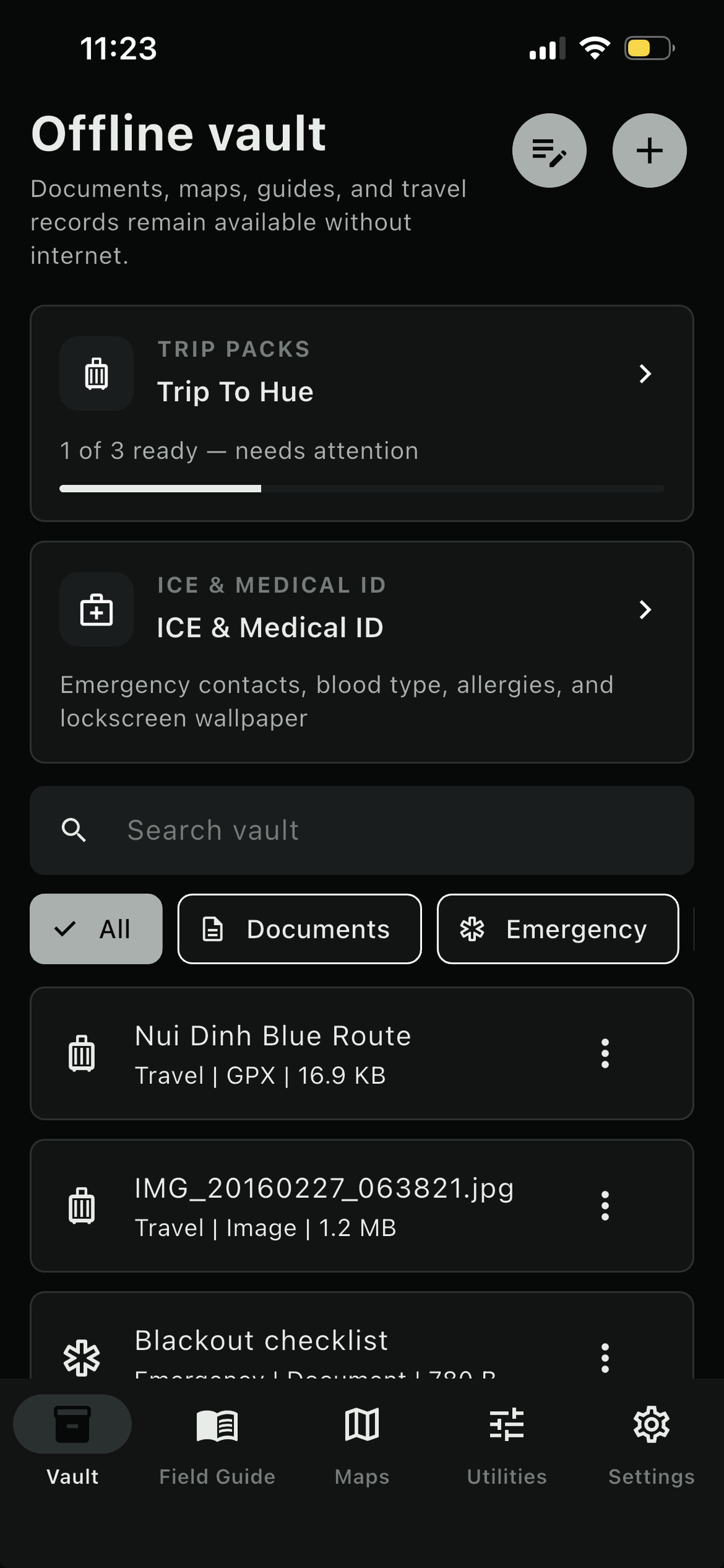
Documents, maps, guides

Offline vault

All Documents Emergency Medical Travel Reading
Travel document checklist Markdown • Travel
Local
Medical summary card Markdown • Medical
Local
Blackout checklist Markdown • Emergency
Local
Notes & journal

Emergency notes

Notes Journal
2 note(s) | 2 pinned Local
Emergency contacts Pinned

Mom: +1 555 0182. Hotel desk: +84 28 5550 0177. Insurance: policy RS-2048.

Medication instructions Pinned

Antihistamine in gray pouch. Take with water. Avoid penicillin.

Map packs, GPS, places

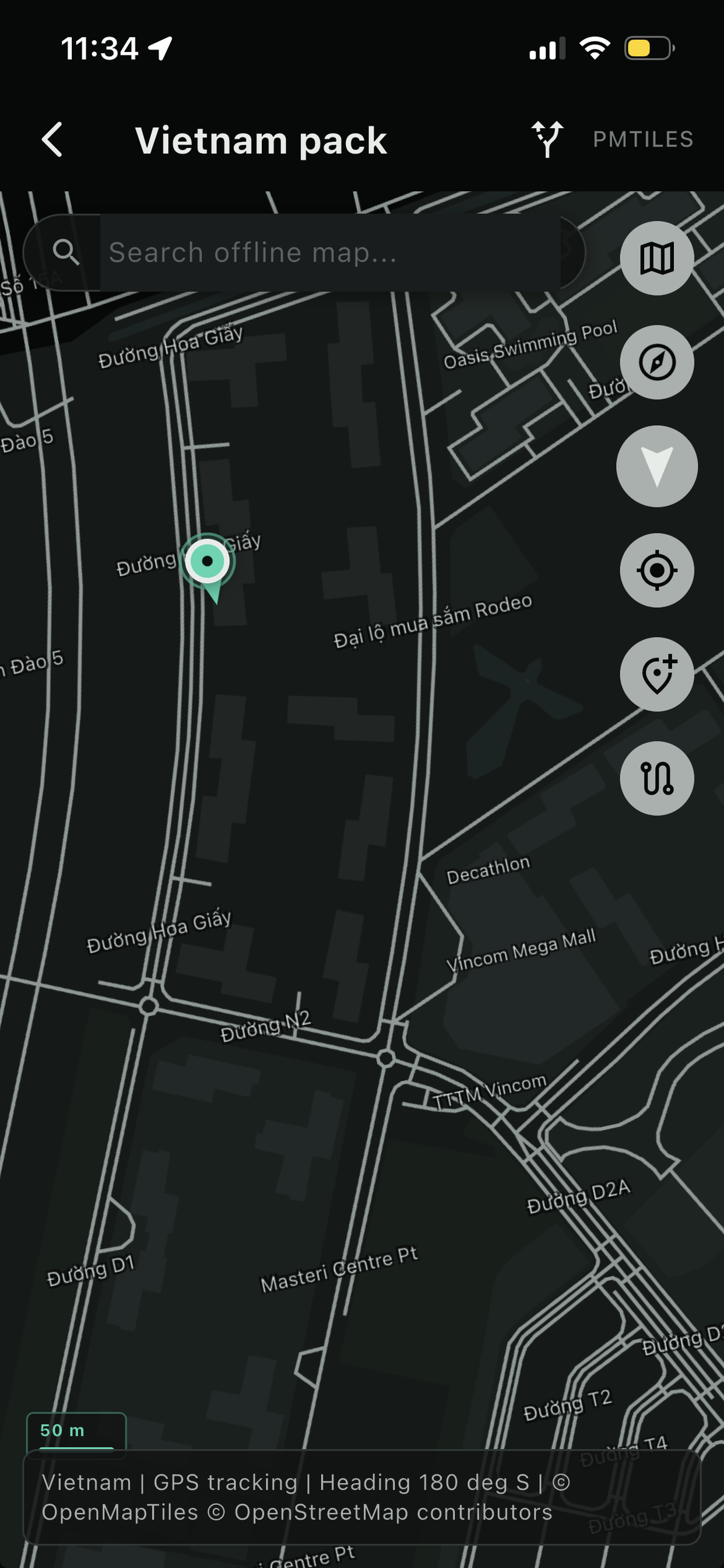
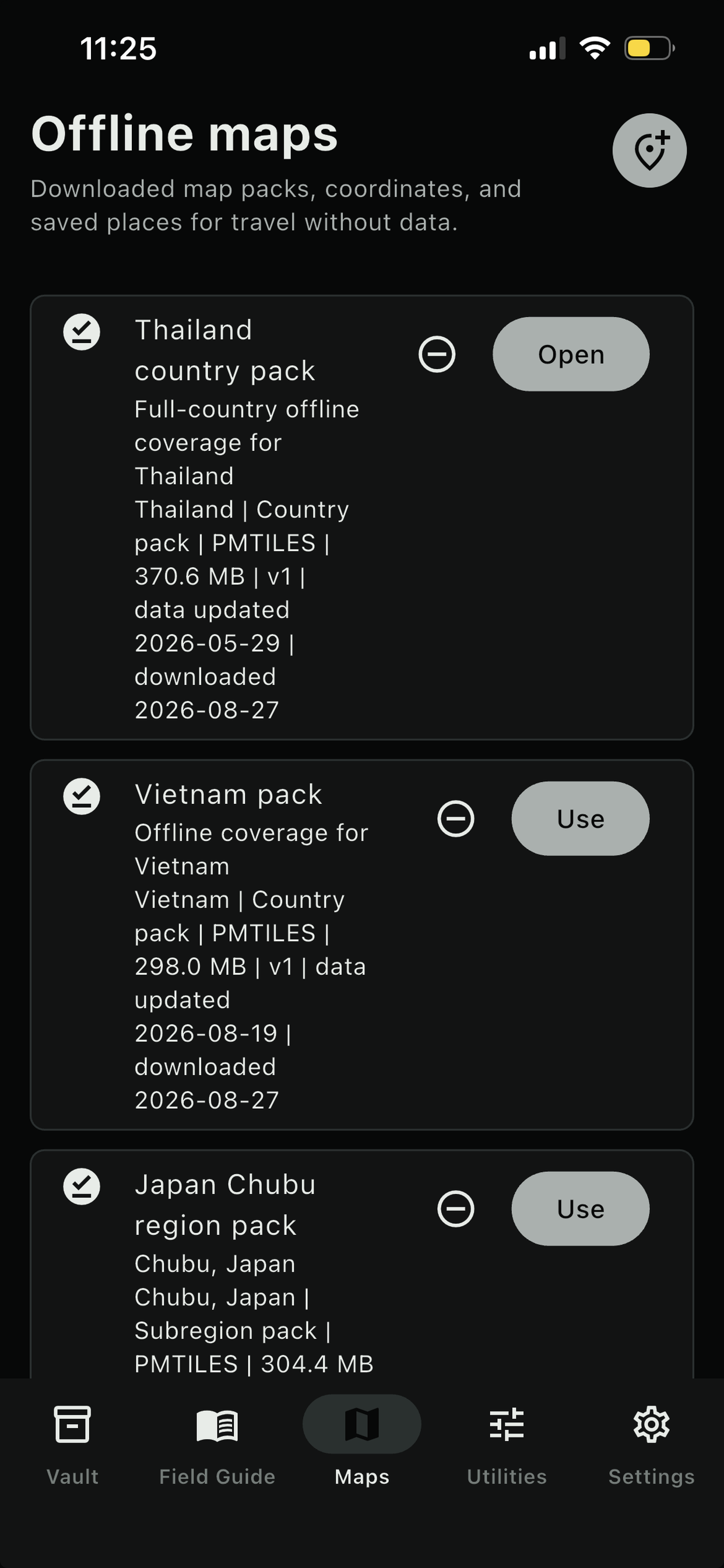
Offline maps

No downloaded maps

Download country or subregion map packs before travel so they stay available without internet.

Add map
GPS works offline Device location available
Save Position
Downloaded maps

No map files saved. Downloaded PMTiles files appear here for offline opening.

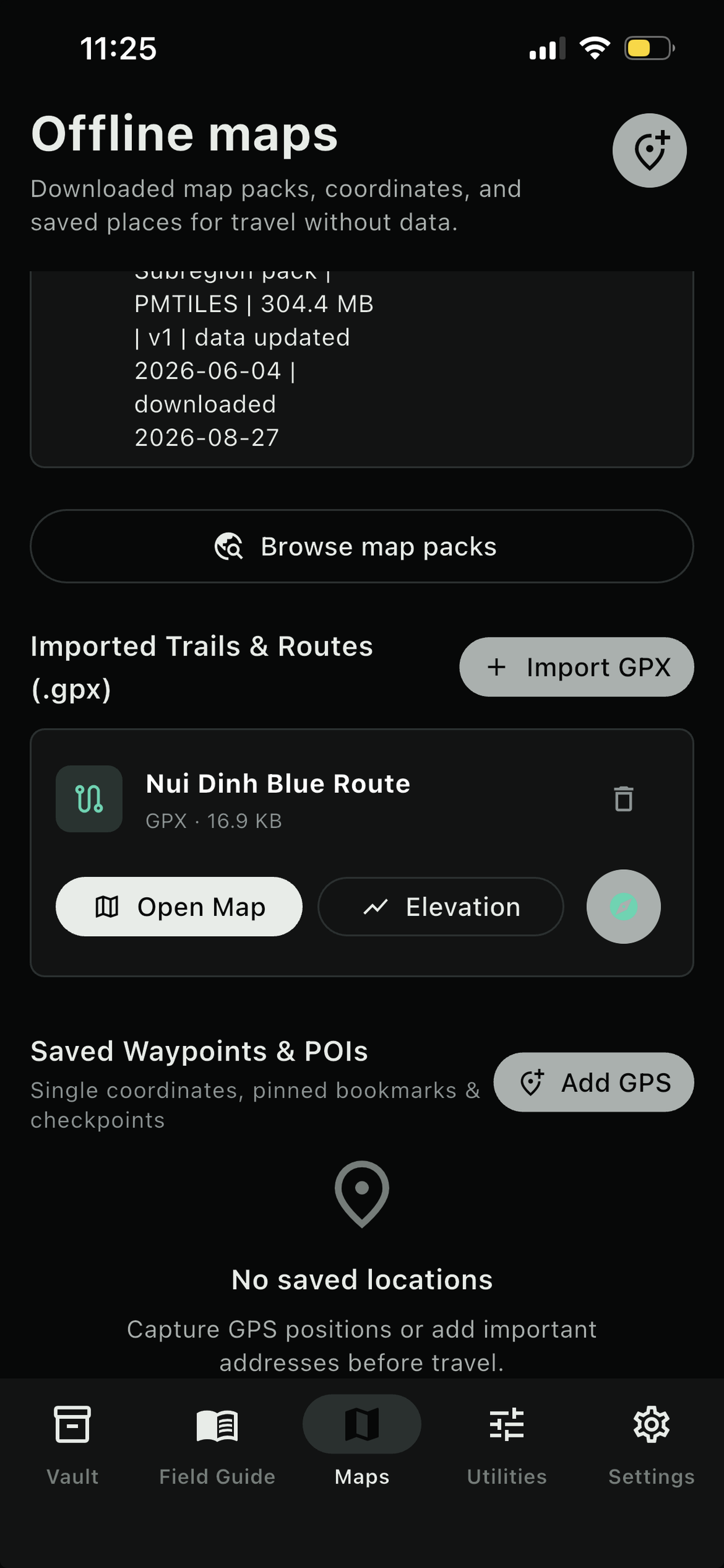
Browse map packs
Saved locations
Hotel base 10.83960, 106.83890
Saved
Nearest clinic 10.84240, 106.83110
Saved
Light, signaling, direction

Utilities

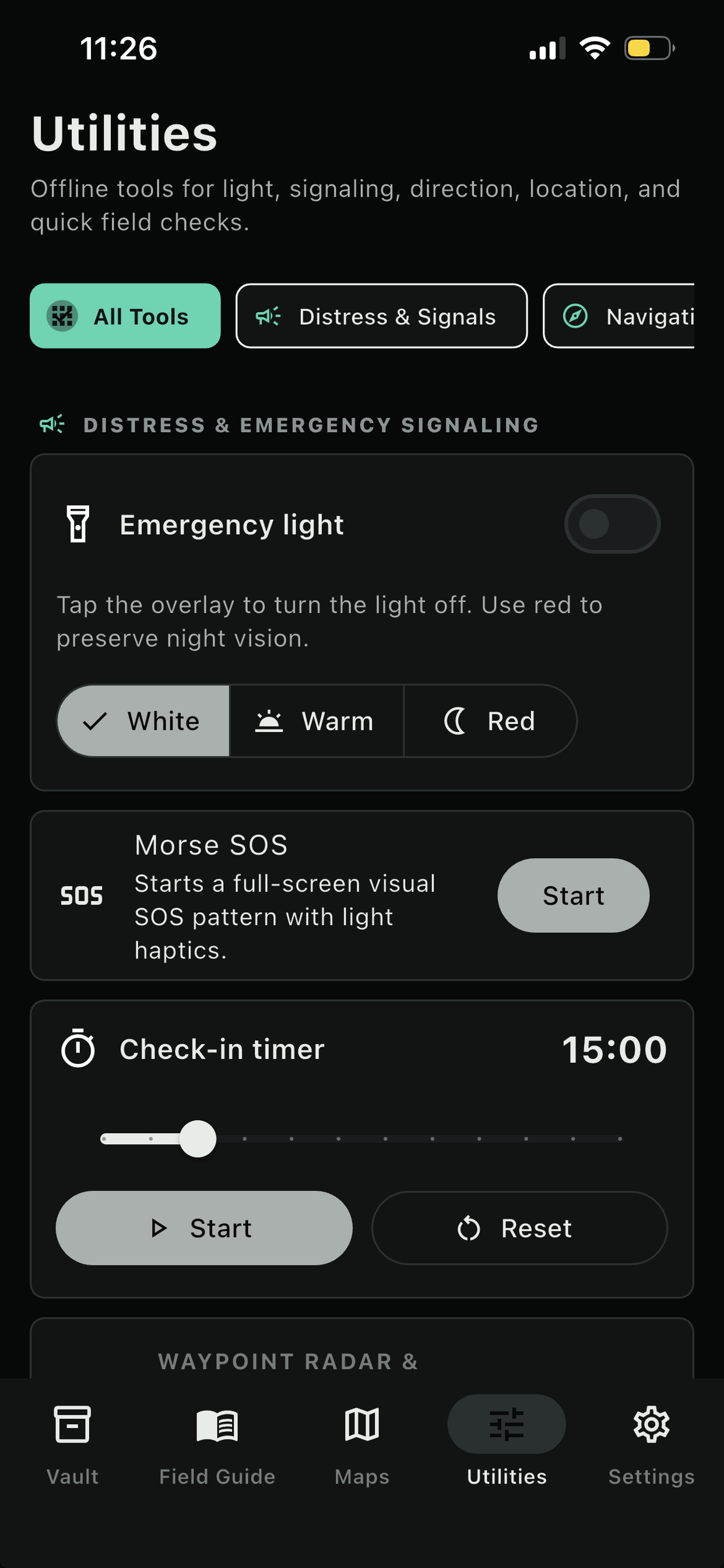
Emergency light

Tap the overlay to turn the light off. Use red to preserve night vision.

White Warm Red
Morse SOS

Starts a full-screen visual SOS pattern with light haptics.

Check-in timer 15:00
Start Reset
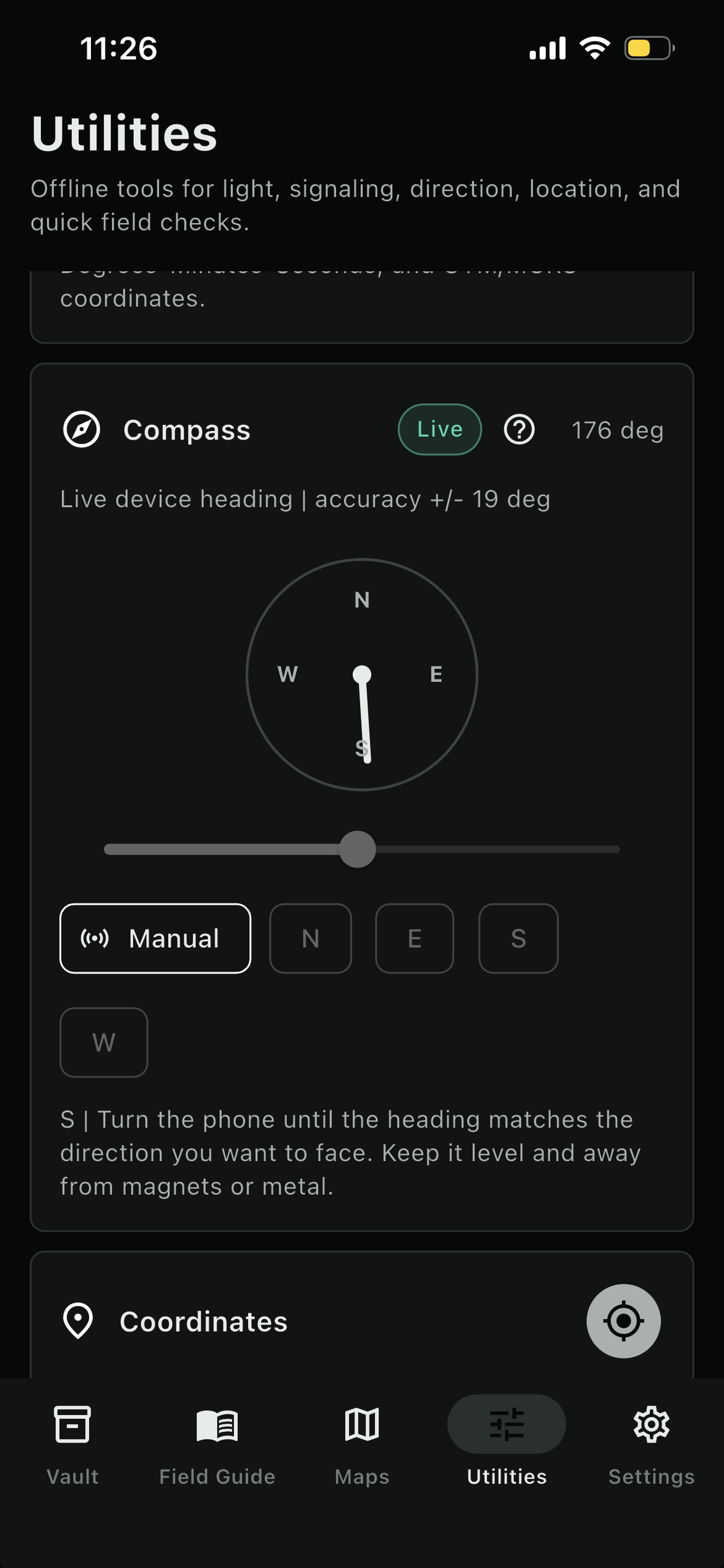
N E S W
180° S
Manual bearing
Coordinates

GPS works offline when device location is available.

Copy Save
Morse reference

SOS = ... --- ...

Local configuration

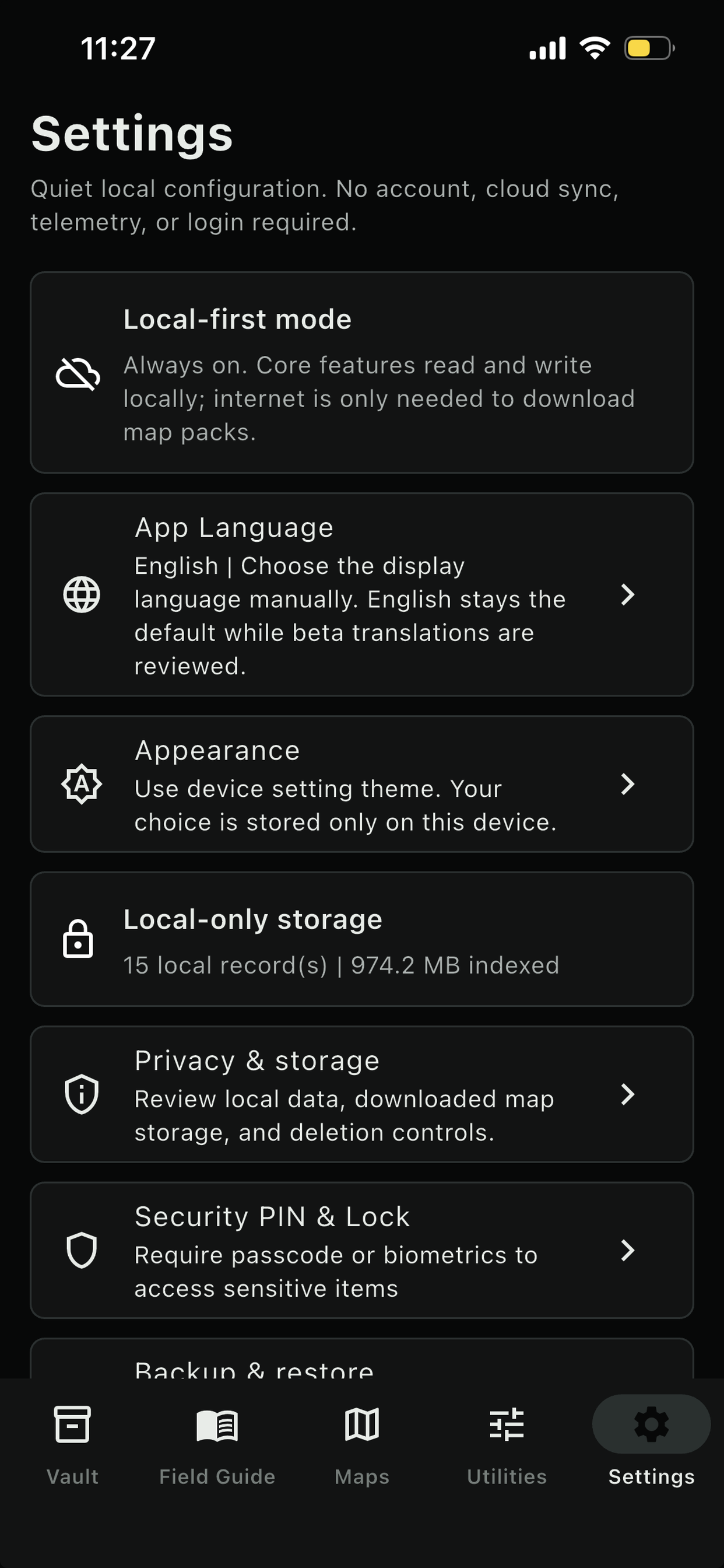
Settings

Offline priority mode
Keep emergency access prioritized
App Language
English Default
Local-only storage

8 local record(s) | vault files and downloaded maps indexed.

Privacy & storage

Review local data, downloaded map storage, and deletion controls.

Backup & restore

Export or import a local Wayvault backup bundle.

Offline readiness

0 map region(s), 2 note(s), 1 journal log(s).

Connectivity

Offline mode active. Core tools remain available.

Offline Core Capabilities

Designed for the exact moment your network fails but your device still functions.

Wayvault operates with strict local priority. Core modules work without accounts, analytics, or server-side storage; installed maps remain usable offline after download.

Offline Vault

Import and safely house emergency documents, PDF travel references, ID/passport scans, medical directions, guides, and offline audio files directly in the local device directory. Fully searchable, previewable, and completely self-contained. No server storage, no data transmission.

Emergency Notes & Journal

Write down accommodation directions, critical medication protocols, emergency meeting points, and check-in timelines. Capture instant, time-stamped incident logs inside the journal module to log events during outage griddowns or camping trips.

Downloaded Vector Maps

Download country and subregion OpenMapTiles PMTiles packs built from Geofabrik extracts. Browse a catalog aligned to hosted map packages, see map data dates, query GPS coordinates and altitude, switch map styles, and record critical saved coordinates offline.

Survival Utilities Suite

Equip yourself with practical offline utilities designed to minimize power draw under duress. Flash the screen light for close-up illumination, activate a pulsing Morse SOS emergency lighthouse signal, calculate orientation parameters using the live sensor compass stream, or reference Morse code encoders.

Zero Telemetry
Local-First Design

A clear privacy boundary built into the app.

Your personal emergency files, coordinate routes, and medical details belong on your device. Wayvault does not require accounts, collect analytics, or gather telemetry; optional map downloads fetch static PMTiles archives you choose to install.

No Accounts or Logins

Skip the setup. The application boots instantly into emergency mode. No password hashes, no user database, and no cloud-connected identities.

Sandbox Isolation & Deletion

Imported files, notes, saved places, installed map metadata, and backups stay in the app sandbox. Clear maps or wipe the app data with a single tap.

Simulate Your Offline Readiness

Check off prep tasks below to see how well you are structured for network outages.

0%
Readiness Rating

1. Import Crucial Emergency Documents

Copy medical instructions, PDFs of survival manuals, passport scans, and travel tickets into your secure offline Vault.

2. Create Emergency Pinned Notes

Save emergency contacts, shelter coordinates, hotel names, medication timing plans, and meeting locations inside Notes.

3. Download Local PMTiles Maps

Save country and subregion packages before travel, such as Vietnam, Thailand, Singapore, or Japan subregions. Keep GPS orientation functional without cells.

4. Secure a Database Backup Bundle

Export a local backup bundle containing note metadata, locations, and vault indices to keep secondary instances synchronized.